


5 min read

Black October 2026: What Happened and Why It Matters

Black October 2026: What Happened and Why It Matters
12:24

A wave of cybersecurity incidents in October 2026 showed how quickly threats can reach a business through the websites, software and vendors it depends on.

October 2026 brought a wave of major cybersecurity incidents that became known informally as “Black October.” One security firm, ScruteX, tracked 28 incidents reported or updated during the month, including ten that were publicly disclosed within 48 hours, on October 20–21. [1]

Those ten weren’t all attacks that happened at the same moment. Some had started earlier and simply came to light that week. But the cluster was a clear reminder of how quickly cyber threats can emerge, and how many different paths they can take to reach a business.

Here’s what happened, what it means for businesses in the Tri-Cities and across Washington, Oregon, and Idaho, and what to ask your IT team now.


What Happened During Black October

The incidents fell into four main categories. Each one is a reminder that risk often reaches a business through something it relies on, not through a direct attack.

1. Vulnerable websites

The biggest story of the month was PHP2Shell: two critical flaws in PHP, the programming language behind WordPress and a large share of the web. PHP released emergency fixes on October 21. [2] Government and company websites around the world briefly went offline while operators patched, and the flaws were found with the help of AI. [3] Attackers began exploiting them before the fixes were even available, and the U.S. Cybersecurity and Infrastructure Security Agency (CISA) later confirmed active attacks. [4]

What it means for you: If your website or client portal runs on WordPress or another PHP-based platform, someone should have confirmed it was updated in late October.

2. Compromised software updates

LiteLLM is a widely used tool that developers rely on to connect applications to AI services. On October 21, attackers published a poisoned version through LiteLLM’s own official release process, designed to steal passwords and access keys. LiteLLM traced the attack to an access key exposed months earlier that was never revoked. [5]

What it means for you: A business can do everything right, including downloading updates from the official source, and still receive malicious software if a vendor’s process is compromised.

3. Exposed cloud credentials

Two cloud hosting providers, Railway and Zeabur, disclosed breaches of the systems where their customers store passwords and access keys. Railway told customers to replace those stored credentials. [6] At Zeabur, an attacker used leaked internal credentials to reach the platform’s database, affecting more than 321,000 accounts. [7] Zeabur has since announced it will shut down by December 31st after its second breach in two months. [8]

What it means for you: When a provider is breached, the passwords and keys you stored there can unlock your other systems. And a provider you depend on can disappear with little notice.

4. AI-assisted attacks

Microsoft reported that a state-aligned hacking group used AI tools to attack customers of a widely used IT software provider. The group’s attempts to guess employee passwords failed more than 151,000 times. But it got in another way: by using stolen access that belonged to the software provider itself, which didn’t require anyone’s password. [9]

What it means for you: AI is helping attackers move faster. Strong passwords and multifactor authentication still matter, but so does knowing which vendors and apps have access to your systems.


The Common Thread: Your Risk Includes Your Vendors

In almost every Black October incident, the businesses that felt the impact weren’t the original target. The risk came through something they depended on: the software under their website, a trusted update, a hosting provider, or an IT vendor’s access.

Two of the incidents also share a simpler lesson. At LiteLLM and Zeabur, access keys that should have been retired months earlier opened the door. Old passwords, keys, and accounts that nobody is watching are some of the easiest ways in.

You can’t control every vendor’s security. But you can know who your critical vendors are, what access they have, and what you would do if one of them had a bad day.

Whether you run a credit union, an accounting firm, a utility district, or a growing local business, the same question applies: what do you depend on, and what happens if it fails?


What about the AI tools your team already uses?

AI showed up on both sides of Black October. Researchers used it to find the PHP flaws, and attackers used it to speed up their work. Meanwhile, many employees are already using AI tools at work, often through personal accounts the business can’t see or manage.

That was the question one member raised at our October 28th AI Business Leaders Circle in the Tri-Cities: are company-managed AI accounts actually safer than personal ones?

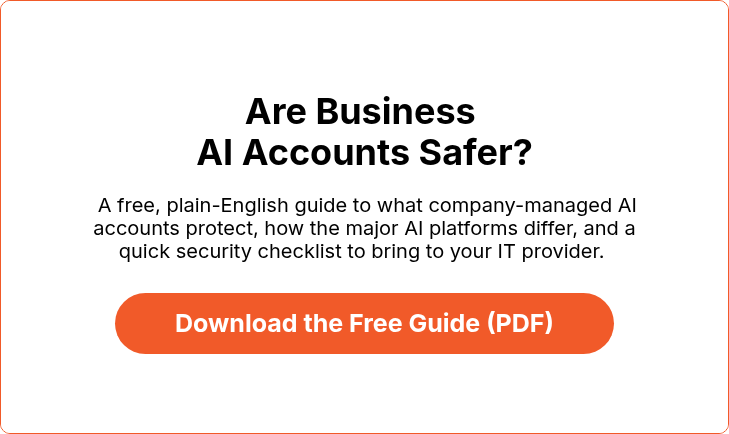
The short answer is yes, generally. But a business license alone doesn’t prevent a breach. We put together a plain-English guide that covers:

  • What company-managed AI accounts protect, and what they don’t
  • What happens if an AI account is taken over
  • How business plans for Microsoft 365 Copilot, ChatGPT, Claude and Grok differ
  • Why “shadow AI” and personal devices matter
  • A quick security checklist to bring to your IT provider


Five questions to ask after Black October

You don’t need a technical background to start this conversation. These five questions are a good place to begin with your leadership team or IT provider.

  1. Do we know which systems our business can’t run without? List the applications and services your team depends on to serve customers and get paid.
  2. Do we know which vendors have access to our systems and data? Include software providers, cloud services, and any apps connected to your email or files.
  3. Are old passwords, keys, and accounts retired when they’re no longer needed? That includes former employees and vendors you no longer use.
  4. Could we keep operating if a critical system or vendor went down for three days? Check that backups, recovery plans, and workarounds are in place and tested.
  5. Are we adopting AI with the right safeguards? Know which AI tools employees use, what information goes into them and who manages the accounts.


The Bottom Line

Black October wasn’t just a collection of headlines. It showed how many ways a business can be exposed through the technology it relies on every day, and how AI is speeding things up on both sides.

The goal isn’t to eliminate every risk. It’s to know where your exposure is, put the right safeguards in place and be ready to respond quickly when something goes wrong.


Frequently Asked Questions

What was Black October 2026?

“Black October” is an informal name for a wave of cybersecurity incidents disclosed in October 2026. One security firm, ScruteX, tracked 28 incidents reported or updated during the month, including ten disclosed on October 20–21. They involved vulnerable websites, compromised software updates, exposed cloud credentials, and AI-assisted attacks.

Was my business affected by Black October?

Possibly, even if you weren’t targeted directly. If your website runs on PHP (including WordPress), or you use any affected software or cloud providers, ask your IT provider to confirm that updates were applied and exposed credentials were replaced.

Why should small and midsize businesses care?

Smaller businesses rely on many of the same websites, cloud platforms, and software vendors as large enterprises. When one of those providers has an incident, the disruption can reach your business even if you weren’t the target.

Are company-managed AI accounts safer than personal accounts?

Generally, yes. Company-managed accounts let a business control who has access, apply login protections like multifactor authentication, and remove access when someone leaves. But a business license alone doesn’t prevent a breach. Our free guide, Are Business AI Accounts Safer?, explains the differences.

What should a business do after Black October?

Start by identifying your critical systems and vendors, confirming that websites and software are updated, retiring old passwords and accounts, and making sure you have a tested recovery plan.


Sources

Incident details reflect reporting available as of early November 2026. Check vendor security advisories to confirm whether your specific systems are affected.


About Teknologize

Teknologize_K - IconTeknologize is a SOC 2 Type I accredited Managed IT and Cybersecurity provider serving small to mid-sized businesses across Washington and Oregon. We deliver full-service Managed IT Support, Co-Managed IT Support, advanced Cybersecurity Solutions, and IT Compliance Services for regulated industries, including Healthcare, Financial Institutions, the Utilities Sector, Manufacturing, and Professional Services.

👉 Book a Discovery Call to see how Teknologize can support your business.

Our Offices

Tri-Cities, Washington – 509.396.6640 | Yakima, Washington – 509.396.6640

Bend, Oregon – 541.848.6072 | Seattle, Washington – 206.743.0981

Questions about your IT or Cybersecurity? Give us a call today!

Black October 2026: What Happened and Why It Matters

Black October 2026: What Happened and Why It Matters

A wave of cybersecurity incidents in October 2026 showed how quickly threats can reach a business through the websites, software and vendors it...
Read More
Digital Citizenship Week 2026: 5 Online Safety Conversations Every Family Should Have

Digital Citizenship Week 2026: 5 Online Safety Conversations Every Family Should Have

Your child might know how to navigate social media, download apps, and use artificial intelligence (AI) better than you do. But do they know how to...

Read More